

Background removal and photo preparation
On supported iPhones, preview background removal for a listing photo and choose whether to keep it. In Listing Hub, upload, reorder, and preview a clean cover before saving.
Scan an item, review resale evidence and your maximum buy price, then prepare photos and copy for a listing you review before publishing.
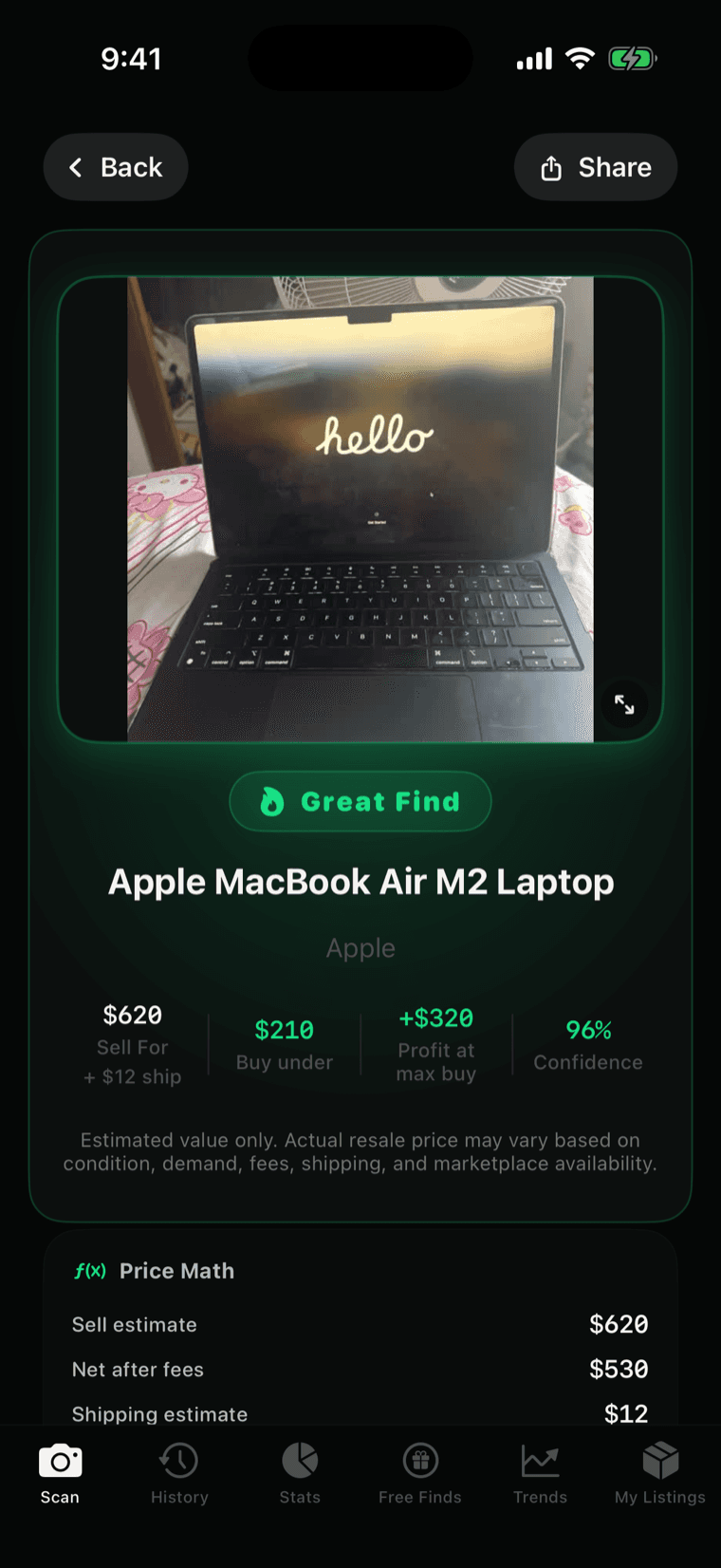
Identify an item from a photo or barcode. Local identification runs free on your iPhone; you choose when to request cloud market analysis.
Check comparable sales, condition, confidence, fees, shipping, and the suggested maximum buy price before deciding.
Build a draft with photos, title, description, and price. Preview photo cleanup, then review what to keep.
Publish to eBay after seller setup and review. For Facebook Marketplace, OfferUp, or Craigslist, use a posting pack and finish on that marketplace.
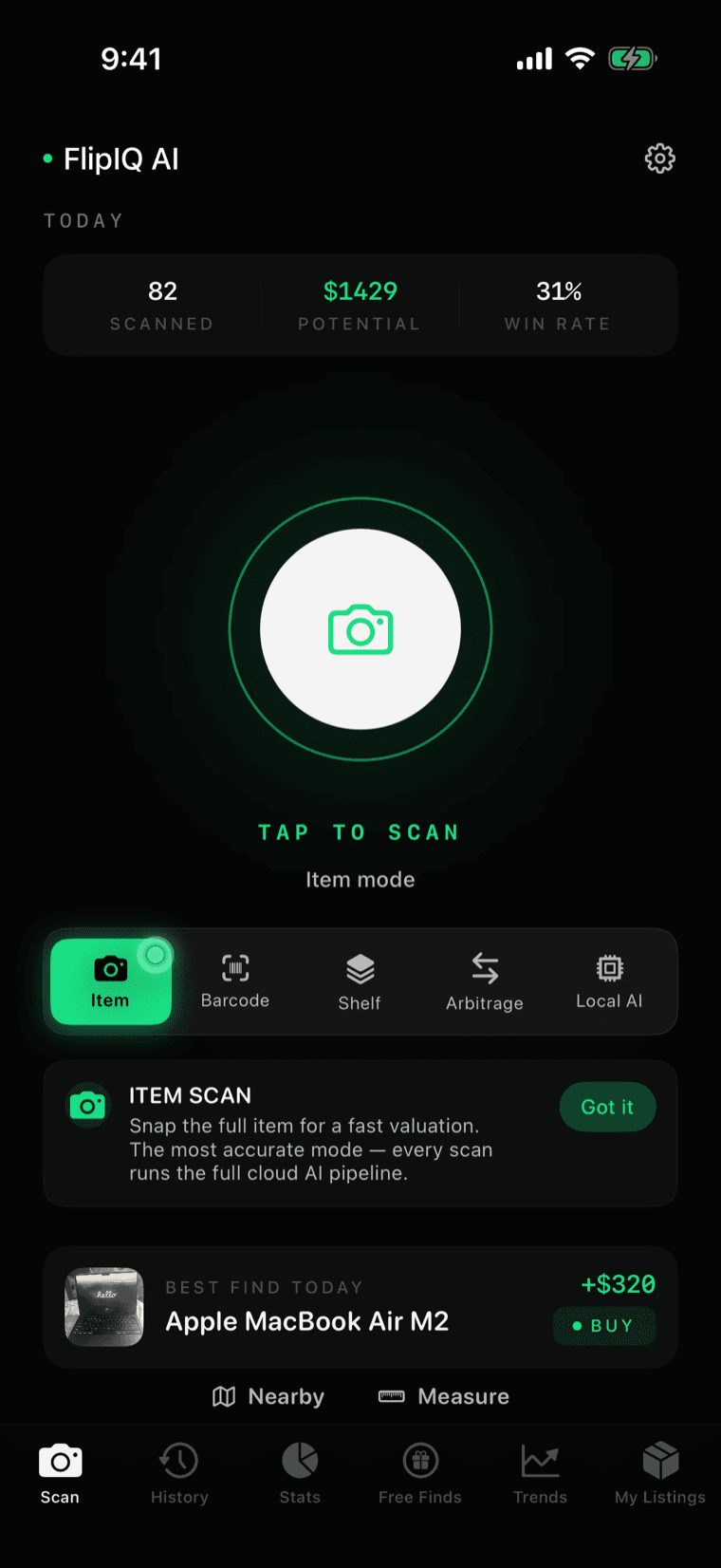
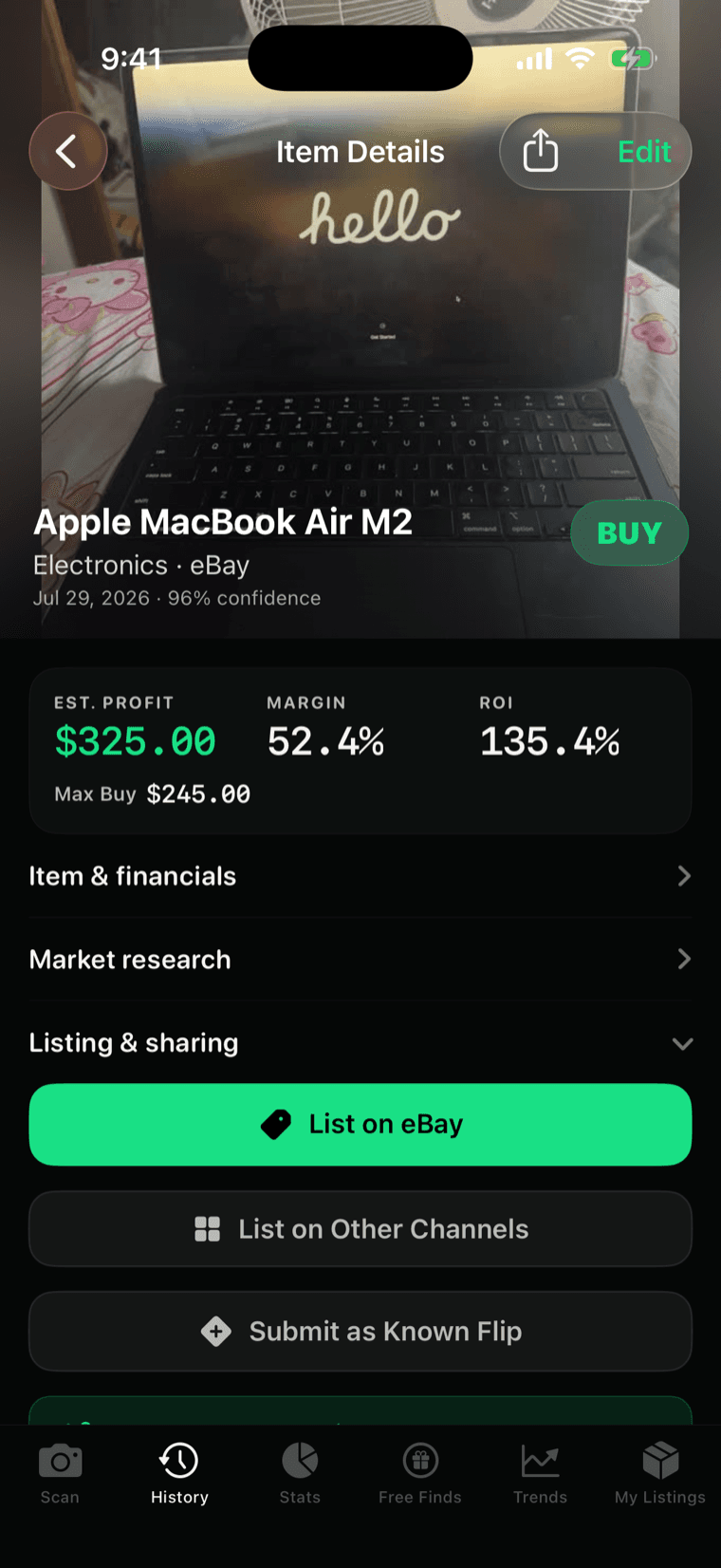
Continue on desktop: choose Finish on the website in the iPhone app, then sign in with the same account. Try the sample listing workspace.
Start with a scan or a shared listing. Review the evidence, prepare your listing, and choose how to finish.
On supported iPhones, preview background removal for a listing photo and choose whether to keep it. In Listing Hub, upload, reorder, and preview a clean cover before saving.
Use Share to send a Facebook Marketplace listing to FlipIQ, review its photo and asking price, then start analysis in the iPhone app. This is an inbound buying decision; it does not post a listing to Facebook.
Prepare title, description, photos, price, and shipping. Connect your seller account, review marketplace requirements, then publish. Revise or end an existing listing from the workspace.
Prepare copy and photos for Facebook Marketplace, OfferUp, or Craigslist. Review the posting pack and finish posting on the marketplace yourself.
Review sold comparisons when available, active asking prices, confidence, and missing evidence. Estimated value and profit are guidance; check the matches and your costs before buying.
Explore sourcing signals, save promising finds, and return to drafts in your listing workspace. Keep the research and the next listing step together.
Shared-listing analysis starts when you choose it in the app. Keep the app open while a share is being saved or uploaded, and check its status before leaving.
$0
Start scanning
$9.99/mo
Or $79.99/year · US App Store
10 · 30 · 100
Top up, no subscription
Every verdict carries a confidence score. Low-confidence matches say so instead of pretending to be sure.
You get realistic value ranges — never a single invented number promising a payday.
Marketplace fees and shipping are baked into the math, so you can review an estimated net before buying.
Save a scan to History on your iPhone to revisit the find later. Choose Finish on the website to create a shared listing draft.
Local identification runs on your iPhone. When you choose a Market Value Lookup or shared-listing analysis, relevant item details are sent for cloud analysis.
Sold comparisons support pricing when available. Active asking prices and limited evidence need a more cautious read.
FlipIQ AI provides resale estimates, confidence scores, and pricing guidance. Results may vary based on condition, demand, marketplace fees, shipping, timing, and buyer behavior. Always verify before purchasing inventory.
FlipIQ AI provides estimates based on item recognition, marketplace signals, and resale logic. Accuracy depends on photo quality, item condition, and available market data.
Local item identification can work without a full market lookup. Market Value Lookups require internet access.
A Market Value Lookup checks resale signals and returns pricing guidance, estimated profit, and a suggested max buy price.
Yes. FlipIQ AI is designed to help new and experienced resellers make faster sourcing decisions.
Yes. Prepare photos, titles, descriptions, and pricing in a draft. Review and publish to eBay after seller setup, or use an assisted posting pack and finish on Facebook Marketplace, OfferUp, or Craigslist.
Share the listing to FlipIQ, review its photo and asking price, and start analysis in the iPhone app. Eligible guest analyses use the same server-reported allowance as ordinary Market Value Lookups. This does not automatically publish to Facebook.
On supported iPhones, preview background removal for a listing photo and decide whether to keep it. Listing Hub also lets you prepare photos and preview a clean cover before saving. The sample workspace tour uses the original photo without calling an AI cleanup service.
The best app depends on the workflow. FlipIQ AI is built for resellers sourcing varied physical goods who want identification, sold comps, fee-aware profit, and a suggested maximum buy price in one decision flow.
Scan the item. Check the numbers. Know the flip.